
The Image Module
Studio-grade image tracking, AI scoring, and submission management — for photographers, painters, and galleries who are serious about their work.
Sound familiar?
- Images scattered across drives, clouds, and platforms
- No structured submission tracking
- Entry fees based on gut feeling, not scores
- Stock uploads with no feedback loop
- Spreadsheets that lie to you
A Control Center for Your Entire Archive
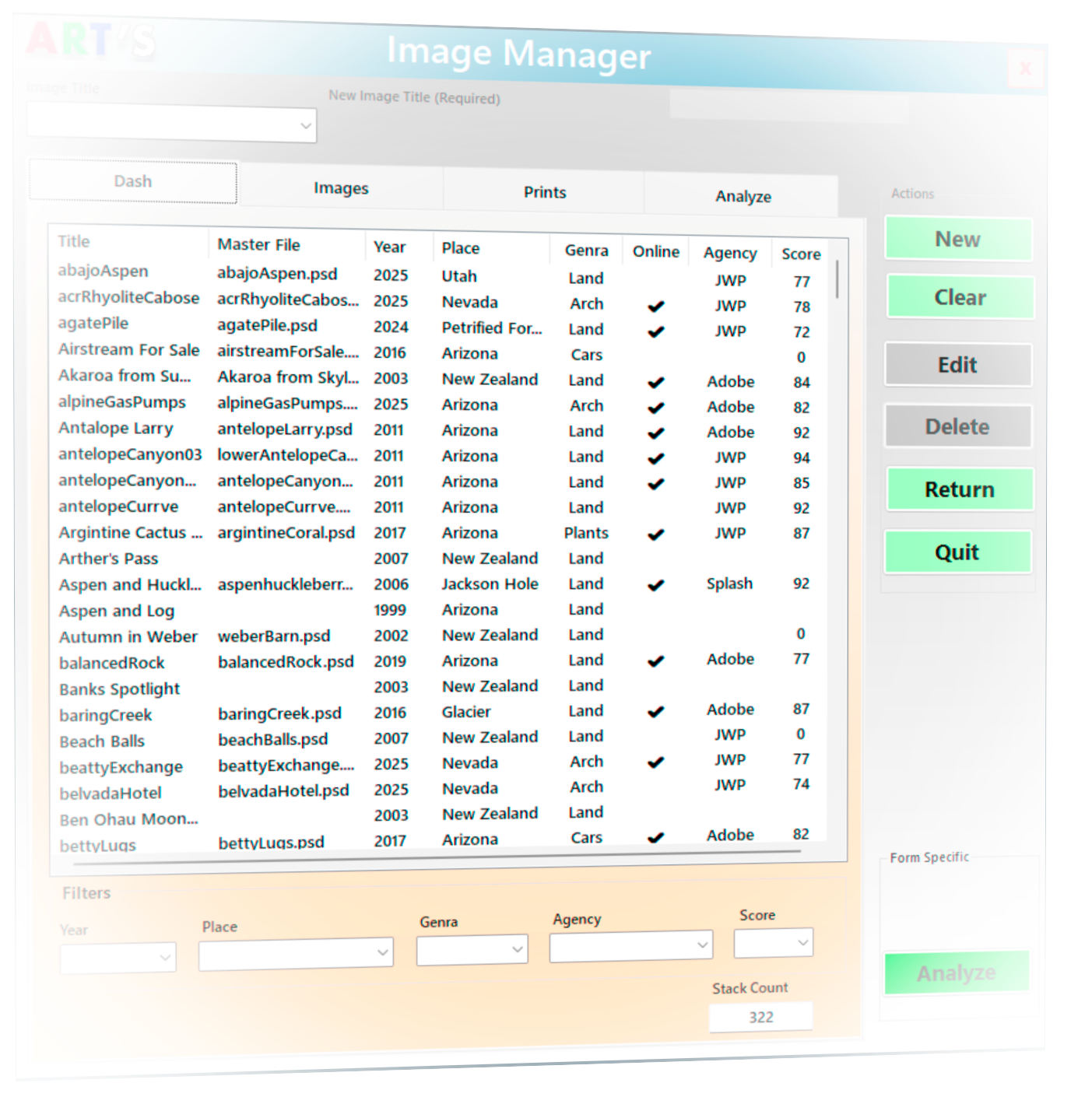
The Dashboard gives you a clean, sortable view of everything you've ever recorded into ARTS — all in one place.
- Filter by year, place, genre, agency, or score to find exactly what you need.
- Sort by score to surface your strongest work instantly.
- Search any image and open it for updates or SEO prep.
- Track where every image lives — online status, portfolio membership, upload history.
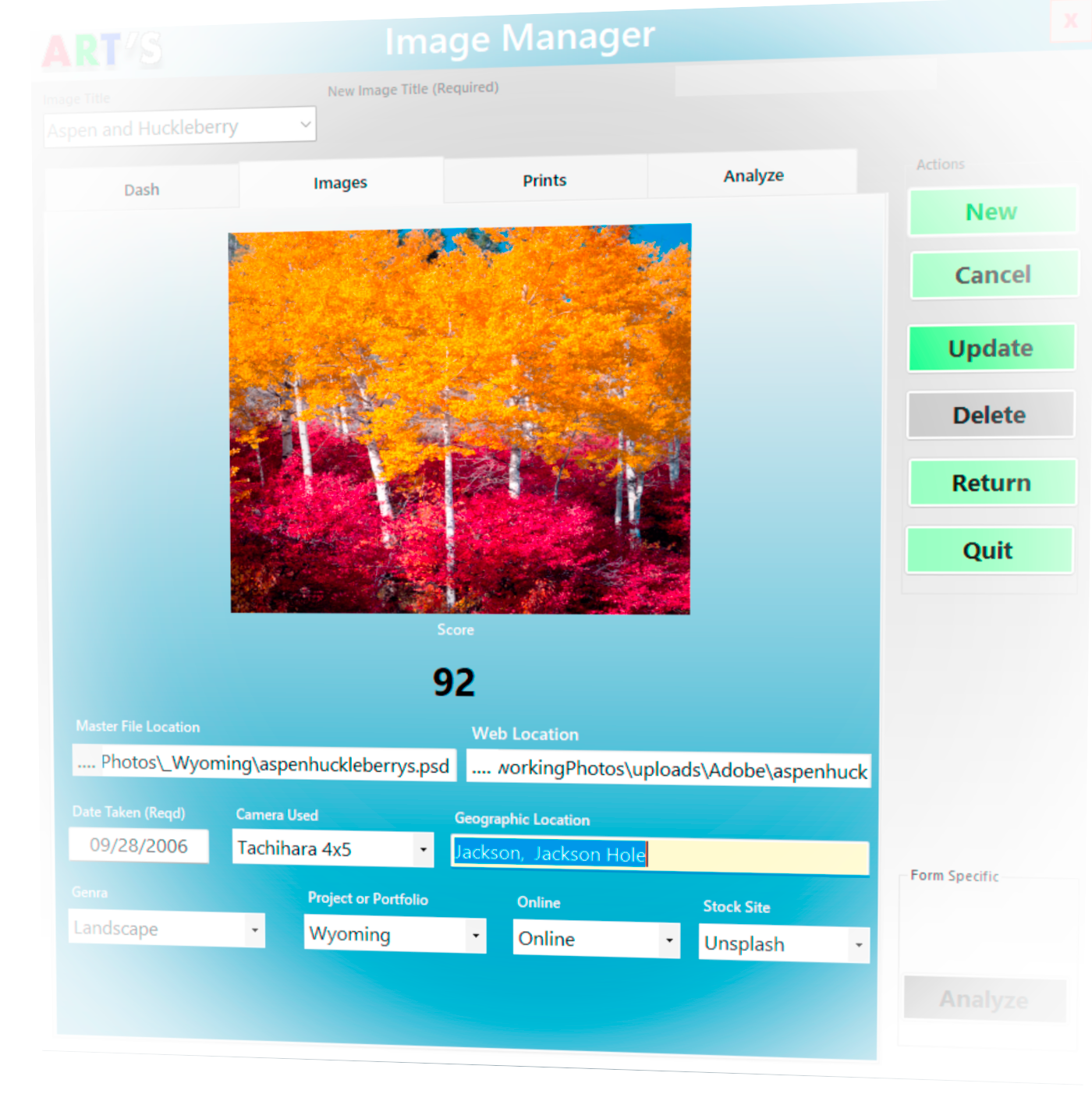
Where Every Image Begins Its Life in ARTS
Import a file and ARTS pulls the date, camera, and GPS location from EXIF automatically. For scanned prints or non-digital work, enter details by hand. Most of the information is already waiting for you.
- Auto-populate metadata from EXIF on import.
- Assign genres, portfolios, and stock-site information with dropdowns.
- Connect your master PSD/TIFF and working JPEG for easy access.
- The thumbnail preview confirms you and ARTS are talking about the same image.
AI Scoring: The Honest Second Opinion Pro
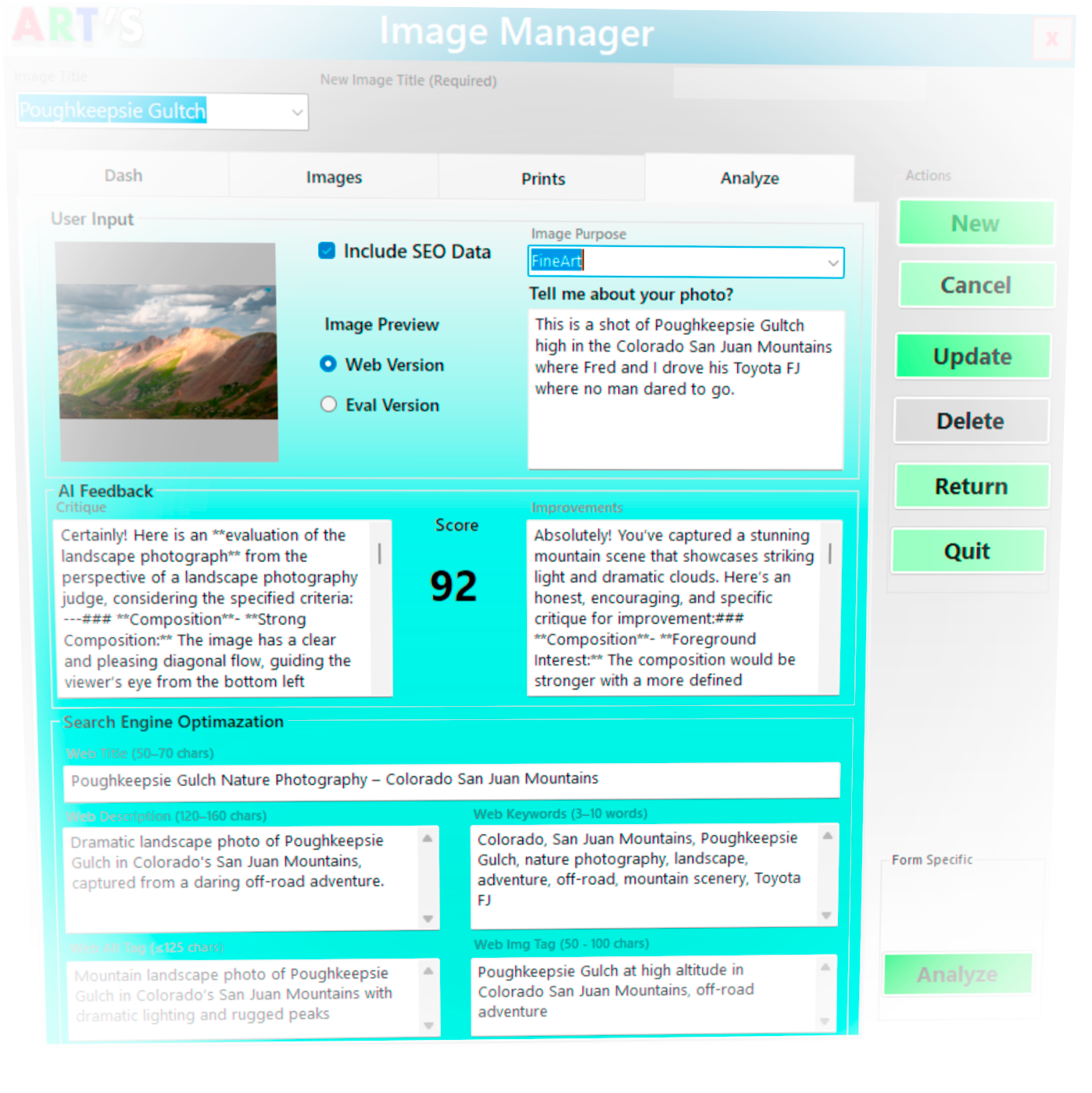
The Analyze Tab evaluates your image through the eyes of a professional editor, curator, or critic — depending on the purpose you choose. Pick the intent, describe what the photo means to you, and ARTS delivers a targeted critique, a score from 0–100, and suggestions for improvement.
- Fine Art gets a museum curator. Travel gets a travel-magazine editor. Landscape gets a National Geographic–style reviewer.
- Scores track over time — see if your edits actually improve the work.
- Helps decide: Submit / Refine / Archive. Stop paying for hope.
- Generate SEO-ready titles, descriptions, and keywords automatically.
"I almost fell off that ledge. What do you mean it's only a 64?"
Print Inventory, Edition Tracking, Sales History
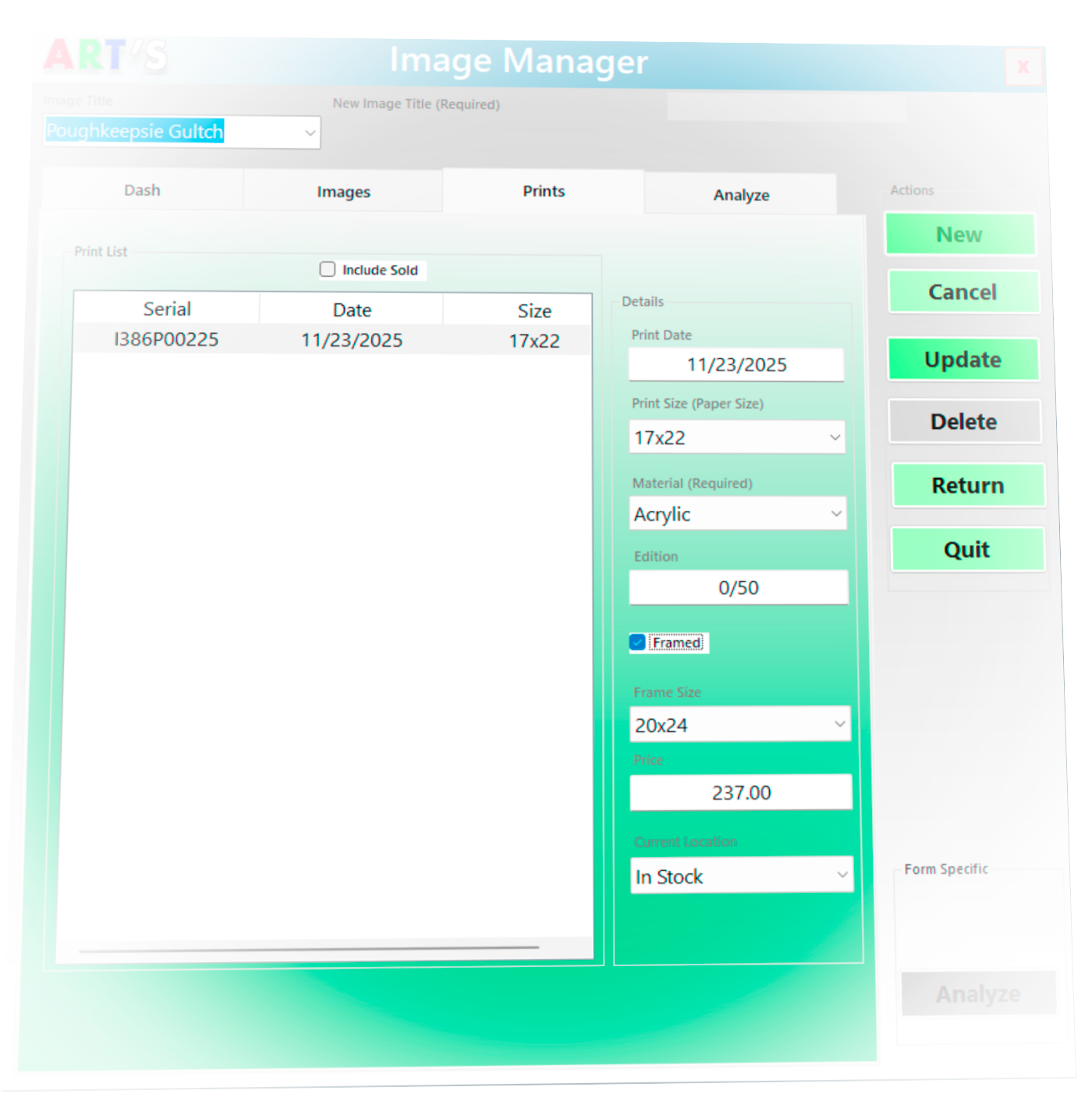
The Print Tab tracks every physical print — sizes, materials, editions, locations, and sales. Open it without selecting an image and you see full inventory. Select an image first and it narrows to that piece only.
- Track limited editions — ARTS calculates the next number automatically.
- Mark prints as framed, set a price, assign a location: In Stock, On Loan, Sold.
- Switch between active inventory and full archive with one checkbox.
Why This Matters
- Stop guessing what to submit
- Stop losing track of your best work
- Stop resubmitting weak versions
- Stop paying entry fees based on emotion
ARTS doesn't replace your judgment. It sharpens it.
This is for you if…
- You're a working photographer
- You submit to competitions or stock
- You make and sell prints
- You want honest feedback, not likes
This is not for…
- Influencer growth hacks
- Social media dopamine hunters
- Cloud subscription addicts
Three Flavors
| Feature | Base | Pro | On a Stick |
|---|---|---|---|
| Image vault & metadata | ✓ | ✓ | ✓ |
| Submission history | ✓ | ✓ | ✓ |
| Print tracking | ✓ | ✓ | ✓ |
| AI scoring (0–100) | — | ✓ | ✓ |
| AI critique & suggestions | — | ✓ | ✓ |
| SEO keyword generation | — | ✓ | ✓ |
| Pre-built submission folders | — | — | ✓ |
| Portable — no install needed | — | — | ✓ |
| Storage for working files | — | — | ✓ |
| Price | $28 | $88 + $28/yr | $350 + $28/yr |
Let your API subscription lapse and ARTS drops quietly to Base. Your archive, scores, and submission history stay untouched. Only the AI goes quiet.
ARTS on a Stick — Your Studio in Your Pocket
ARTS on a Stick is Pro, pre-installed on a 1TB USB 3.0 drive — with room for your entire working file archive. Plug into any Windows machine and your studio is there. No install. No setup. Everything where you left it.
The Stick ships with a pre-built submission folder tree — organized around your workflow, not someone else's:
Premium vendors first. Free last. The folder structure enforces the strategy — you can't accidentally give away on Unsplash what you're selling on Adobe.
Order a Stick and we'll ask where you submit. We'll customize your folder tree before it ships.
Ready to stop guessing?
Version 0.9 — Early Access. Windows 10/11. Local install. License delivered by email.
